Creator guide
Storyboard a manga page that reads cleanly on a phone
Build a small page with a clear first glance, balloons that lead the reader, and enough space for the important image.
Pick the beat the page needs to land
Write one sentence for the change that should happen on the page. A messenger arrives, someone recognizes the seal on a letter, and the new information alters what they do next. The reader needs to understand the arrival, the recognition and the decision in that order. A thumbnail layout can show you whether all three beats have room.
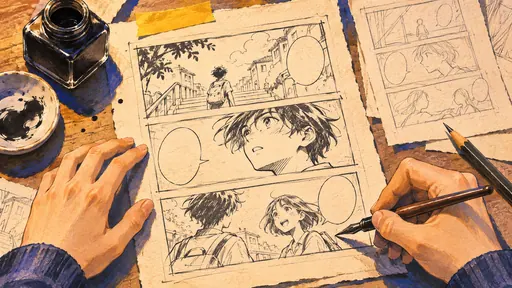
Draw the page small. Use simple shapes for people and a block for each balloon. Give the first panel enough information to put us in the room. For the recognition, consider a close-up so the reader understands why the person stops. The last panel can show the decision in an action, such as reaching for a coat. These are layout choices you can move around quickly when the drawings are rough.
Make the balloons lead the eye
Put the opening line where the reader looks first. Leave a path between each balloon and check whether its tail points cleanly at the speaker. If two people answer each other, try to keep their bodies and the dialogue in an order that sends the eye through the panel once. A balloon placed late can accidentally hide the face that tells the reader how to hear the next line.
Read the page without dialogue once. If you lose the sequence, try altering the poses or sightlines. Then read just the balloons. If the exchange is unclear, try rearranging them before you rewrite the lines. The two readings let you separate a staging problem from a writing problem.
Look at the page at the size people will read it
Preview in a narrow window before you ink. Balloon text should be comfortable at ordinary reading size, and the panel with the letter should still tell you what it is. When a crucial drawing gets lost on the phone, try giving it a larger panel or cutting an unnecessary line rather than shrinking everything else around it.
Keep that first rough layout beside you while finishing the page. Use it to check that nice details haven’t crowded the parts you wanted the reader to see first.